
 Words and Phrases




Relate Two CIs by Using the Properties Widget
You can relate two CIs by using the Properties widget. For any selected CI, you can relate Owner CIs and Location CIs. To do this, follow these steps:
-
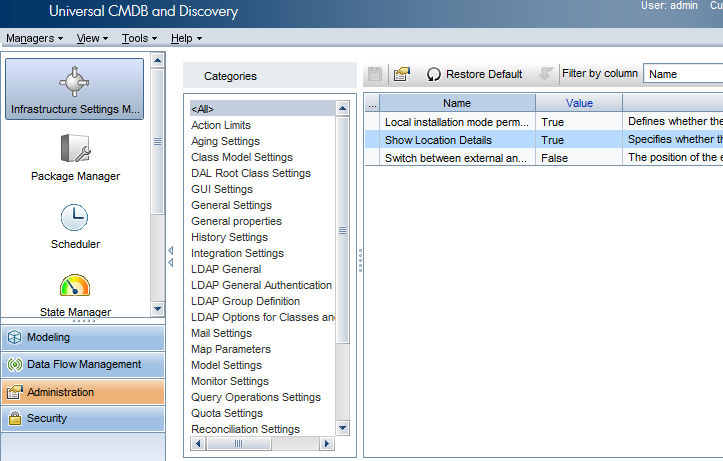
Make sure the Show Location Details and Show Owner Details options are set to true.
You can find these options in UCMDB UI > Administration > Infrastructure Settings Manager. The default values are true.
-
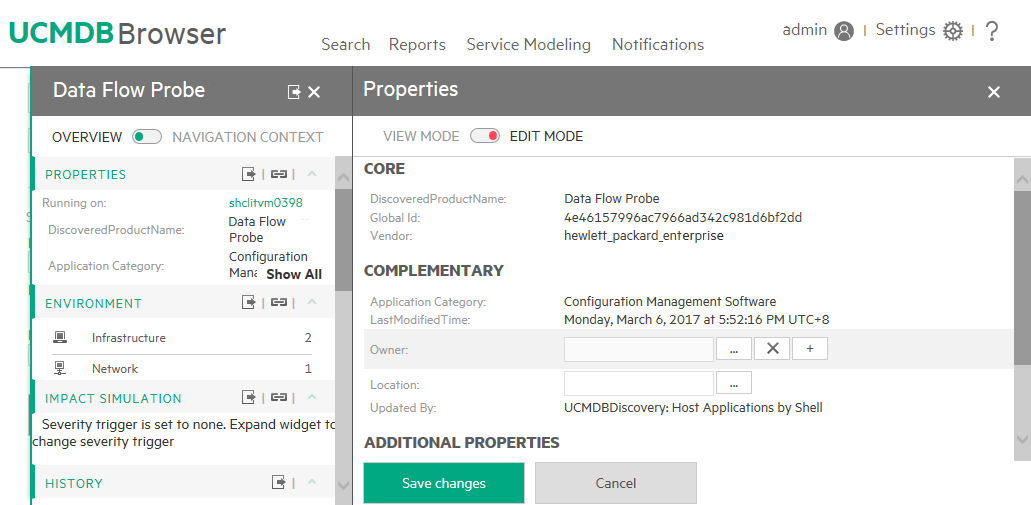
Go to the UCMDB Browser, select a CI, click PROPERTIES to expand the widget, and then switch to the edit mode.
-
Edit the corresponding fields to create relationships:
- To create a Membership relationship between the Locations and the selected CI, select one or more Locations.
- To create an Ownership relationship between the Owners and the selected CI, select one or more Owners (which are all Party CI Types).
Note If the selected CI is a Node, then, similar with Owner and Location, you will also be able to select IP Addresses. In this case, Containment relationships will be created between the selected CI and the entered IP Addresses.
- Click Save changes.


